Loading paragraph...
Loading image...
Loading paragraph...
Loading paragraph...
Loading image...
Loading paragraph...
Loading hub_pages...
Loading paragraph...
The Motley Fool has a disclosure policy.


Invest better with The Motley Fool. Get stock recommendations, portfolio guidance, and more from The Motley Fool's premium services.
Whether you rely on fundamental analysis or technical analysis to identify promising investments, it's helpful to have a working knowledge of statistical terms. Not every investor will be competent to do null-hypothesis significance testing, but every investor should be aware of the meaning of terms such as significance levels and p-values.
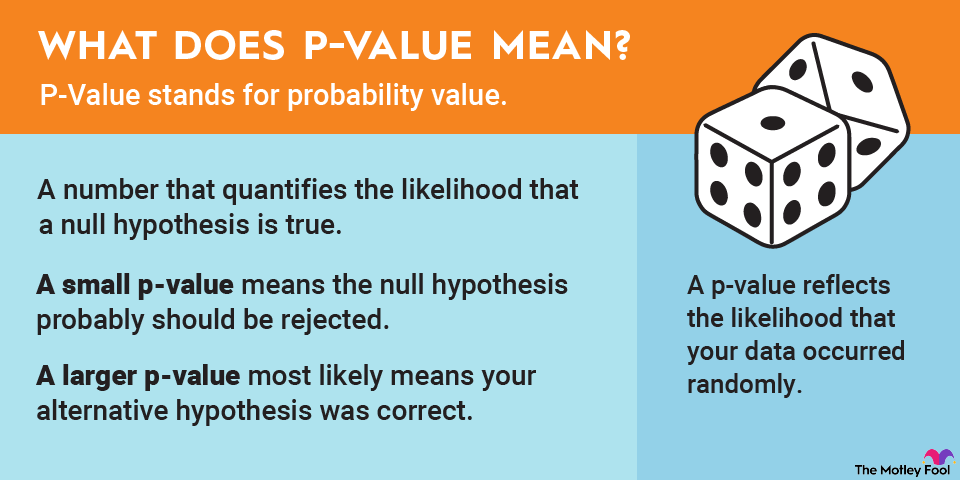
A null hypothesis is a statement that any difference between variables in data is the result of chance. A p-value is a number that quantifies the likelihood that a null hypothesis is true. A small p-value means the null hypothesis probably should be rejected; a larger number most likely means your alternative hypothesis was on the money.
No doubt you’ve heard the phrase, “Correlation does not equal causation.” How do we know this? In many instances, it’s because a p-value reflects the probability that one variable in your data didn’t influence another variable -- the likelihood that your data occurred randomly.
Since a p-value is a probability, it will always be a number between 0 and 1. As a general rule, a low p-value means you can probably reject the null hypothesis and accept your alternative hypothesis; a high p-value means your null hypothesis may be valid after all. A p-value of 0.01 would be highly significant, for example, much more so than 0.05 -- which, while still significant, is obviously a much less significant figure.
It also helps if you determine a significance level before calculating the p-value. A significance level is an arbitrary number that represents the probability of arriving at a result by chance. Although there’s no single best significance level, the most typical values are 0.1, 0.05, and 0.01, with 0.05 being the most commonly used figure.
You can use the significance level in conjunction with the p-value to determine the validity of your conclusions. As a general rule, if the significance level is greater than the p-value, then you can probably reject the null hypothesis.
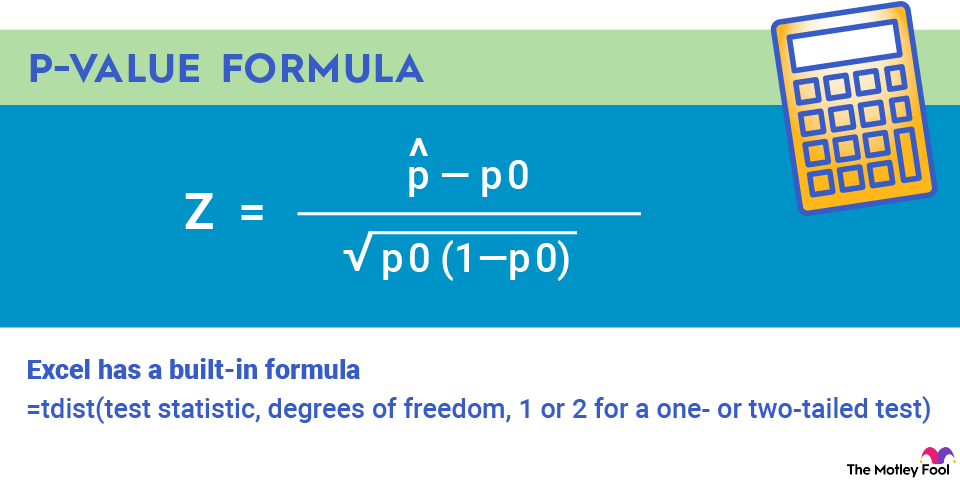
Fifty years ago, you likely would have relied on a deep knowledge of integral calculus and an expensive engineering calculator to calculate a p-value for your hypothesis. Thankfully, those days are gone, and it’s not necessary to hope you used the correct order of operations for the following formula:
You can enter the formula in a spreadsheet. It’s worth noting that Excel has a built-in formula that makes things considerably easier. For Excel, you’ll need to know three things: the test statistic (t), the degrees of freedom, and whether you have a one- or two-tailed test.
The test statistic is calculated from your sample data; it will be used for comparison when you test your null hypothesis. The simplest test statistic involves subtracting a hypothesized mean from the sample mean and dividing by the standard error of the mean. A more complex test statistic would yield the chi-squared value by adding the squared differences between observed and expected values and then dividing by expected values.
Calculating the degrees of freedom is much more straightforward and involves simply subtracting 1 from the sample size (e.g., a sample size of 10 would yield 9 degrees of freedom).
A one-tailed test specifies a direction -- greater than or less than a number. A two-tailed test provides information in both directions and is often preferred for thoroughness.
The Excel formula is simple:
=tdist(test statistic, degrees of freedom, 1 or 2 for a one- or two-tailed test).
Not all good investors are quantitative analysts, and not all quantitative analysts are good investors. But relatively simple and accurate tools exist to help investors test hypotheses and draw more informed conclusions about the merits of specific investments.
How does this play into investing? You might want to see if there's a correlation between the P-value of an individual stock over a specific period and the historical prices of a commodity, such as wheat or alcohol. Or you may want to test to see if a broker’s assertion that a particular set of exchange-traded funds (ETFs) has outperformed the S&P 500 over the past five years is valid.
Although an eye test is useful, any investor knows there’s seldom such a thing as too much data. So it’s helpful to collect as much relevant data as possible, and then use basic statistical tools to verify (or discount) your hypothesis. Enter the p-value.
So while not all investors will be quantitative analysts, quantitative analysis is a key element of investing in stocks, even at a rudimentary level. Whether it’s part of a buy-and-hold strategy or to short-sell a security, investors buy stocks and bonds for one reason: They believe it will build wealth.
The quantitative element comes into play when trying to predict the future price of a security -- the heart of any investment. Will its price go up? Will it go down? The right hypothesis can make or break a particular investment.